Using Tiled hexmaps in LaTeX
Continuing the wargame package1 experiments from the last time, since it's pretty tedious to write up a map manually, hex by hex, let's figure out how to import one from the Tiled2 map editor.
Contents
Tiled ↩
First, some setup needs to be done from the Tiled side. We will use the original icon collection3 to create a new tileset from our collection of images:
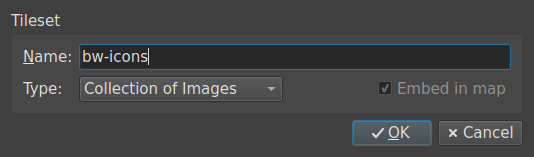
File → New → New Tileset…
After importing, your tileset should look something like this:
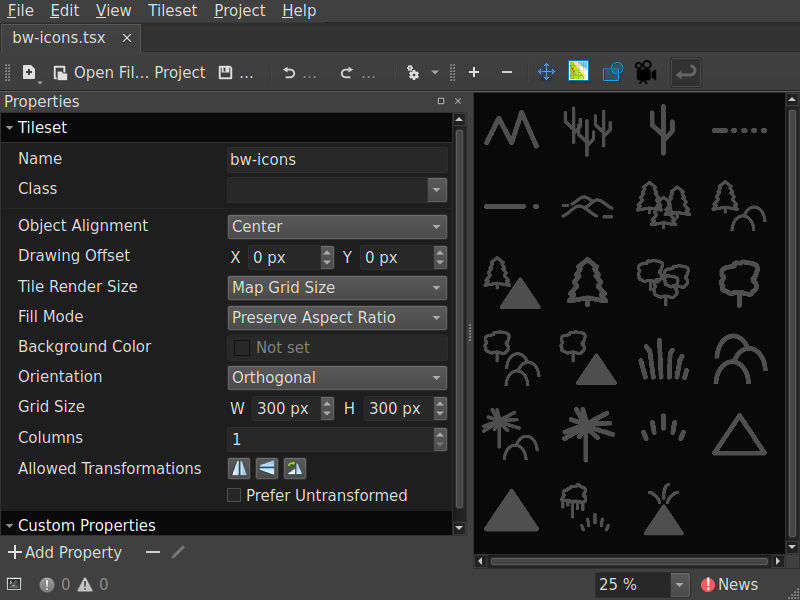 Tileset Properties
Next, a new hexagonal map in CSV layer format:
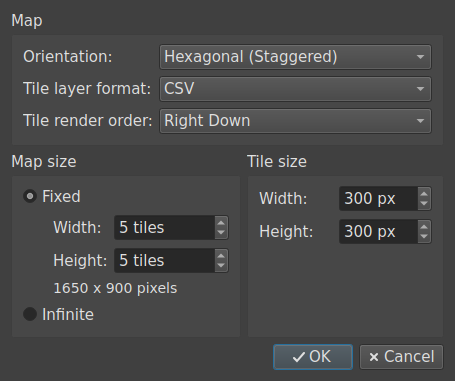
File → New → New Map…
As you can see, the default staggering does not match ours:
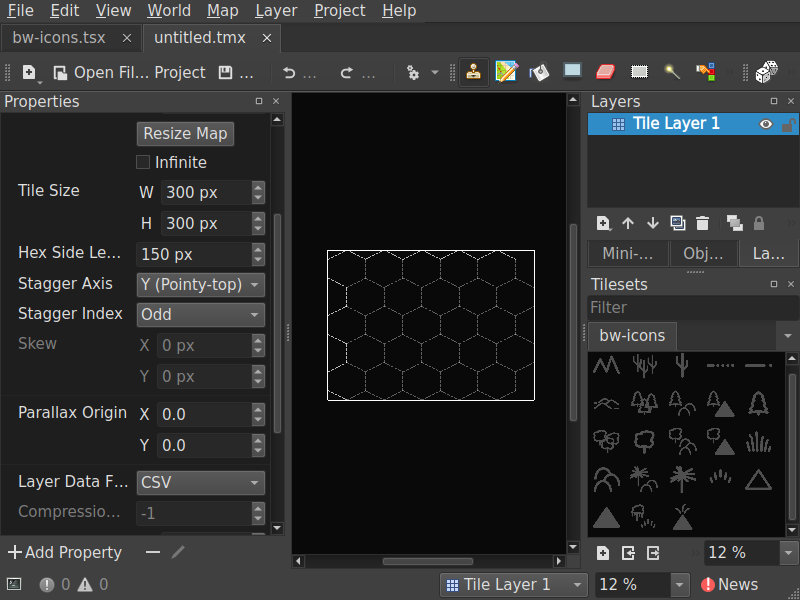 New map defaults
Let's change the Stagger Axis and Stagger Index to what we need (X (Flat-top) and Even accordingly):
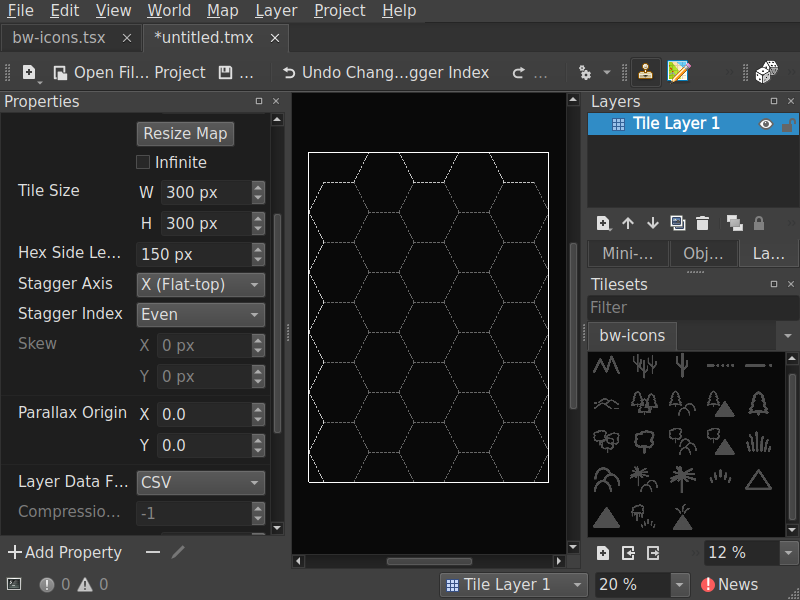 Map Properties
And finally, put all our icons on it for testing:
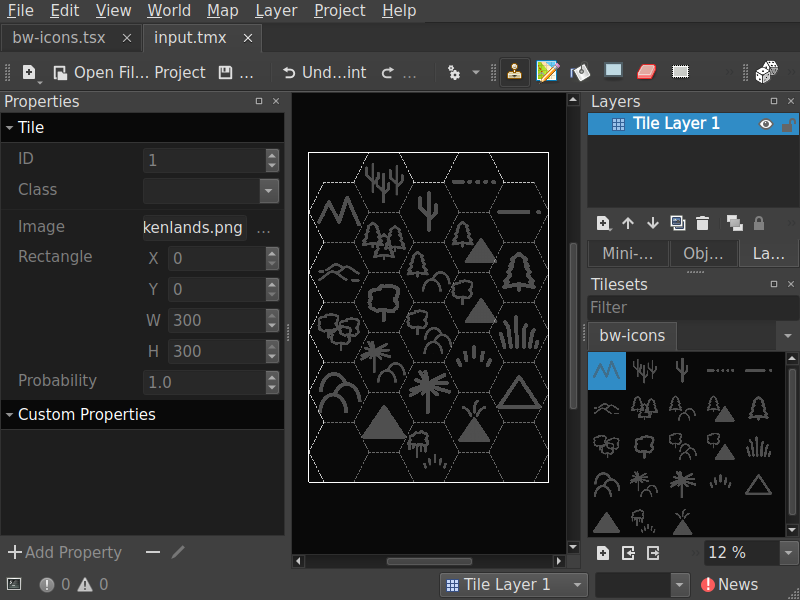 Filled map
Inspecting the created input.tmx file with a text editor, we can see that its structure is quite simple if we just use a single layer:
<?xml version="1.0" encoding="UTF-8"?>
<map version="1.10" tiledversion="1.12.0" orientation="hexagonal" renderorder="right-down" width="5" height="5" tilewidth="300" tileheight="300" infinite="0" hexsidelength="150" staggeraxis="x" staggerindex="even" nextlayerid="2" nextobjectid="1">
 <tileset firstgid="1" source="bw-icons.tsx"/>
 <layer id="1" name="Tile Layer 1" width="5" height="5">
  <data encoding="csv">
2,3,4,5,6,
7,8,9,10,11,
12,13,14,15,16,
17,18,19,20,21,
0,22,23,24,0
</data>
 </layer>
</map>
Note the <data> block, where all of the icon indexes are saved. For some reason, all indexes are incremented by 1. For example, the bw-brokenlands icon has id="1" in bw-icons.tsx, but is saved as 2 in the map's <data>:
 <tile id="1">
  <image source="bw-icons/bw-brokenlands.png" width="300" height="300"/>
 </tile>
Keep this in mind when it gets to the LaTeX side.
LaTeX ↩
Of course, converting the TMX map to LaTeX would be way easier with some kind of Python script, but you'll need to run it every time the map is updated. While it might be more convoluted, let's see how it could be done in LaTeX instead.
Here's the plan to approach this task:
- Associate each TikZ icon with its Tiled icon set ID.
- Extract the CSV map data from the TMX file.
- Load the CSV data using the
csvsimplepackage4 and process it, drawing each hex through thewargamepackage.1
Adjusting the TikZ conversion script ↩
We can assign icons their indexes by employing the listofitems package,5 that can create dimensioned arrays of items. To make things simpler, we will add this code to our png2tikz converter to be written in the icons.sty automatically. Just three new blocks of code are required for this:
- Create an empty variable that will contain the list of icon names, and another one with the current index:
icon_list=""
idx=1
- Append every name to the list and increment the index in the
for file in *.png; doloop:
    icon_list="${icon_list}\t${name},%\n"
    idx=$((idx + 1))
- Add the
listofitemspackage code to the header oficon.sty:
\RequirePackage{listofitems}
\setsepchar{,}

\newcommand{\IconListRaw}{%
$(printf "%b" "$icon_list")
}
\readlist\iconlist{\IconListRaw}
For our icon set, the new header will look like this:
\RequirePackage{listofitems}
\setsepchar{,}

\newcommand{\IconListRaw}{%
	bw-brokenlands,% 1
	bw-cactus-heavy,% 2
	bw-cactus,% 3
	bw-desert,% 4
	bw-desert-rocky,% 5
	bw-dunes,% 6
	bw-evergreen-heavy,% 7
	bw-evergreen-hills,% 8
	bw-evergreen-mountains,% 9
	bw-evergreen,% 10
	bw-forested-hills,% 11
	bw-forested-mountains,% 12
	bw-forest-heavy,% 13
	bw-forest,% 14
	bw-grassland,% 15
	bw-hills,% 16
	bw-jungle-hills,% 17
	bw-jungle,% 18
	bw-marsh,% 19
	bw-mountains,% 20
	bw-mountains-snow,% 21
	bw-swamp,% 22
	bw-volcano,% 23
}
\readlist\iconlist{\IconListRaw}
You can see the full code of the updated script below.
Updated png2tikz.sh
Click to show/hide
#!/bin/sh
# Requirements:
# - imagemagick (png to pgm)
# - potrace     (pgm to svg)
# - svg2tikz    (svg to tikz)
#
# Variables
iscale=0.3
ishift="(-2.65,-2.65)"
ifill="black"
output="icons.sty"

# create directories
mkdir -p "pgm"
mkdir -p "svg"
mkdir -p "tikz"

# calculate maximum filename length
max=8
for file in *.png; do
  [ ${#file} -gt "${max}" ] && max=${#file}
done

# list of icon names and index
icon_list=""
idx=1

# convert each png file in current directory
for file in *.png; do
    [ -f "$file" ] || continue
    name="${file%.*}"
    printf "%-*s" "${max}" "${name}..."

    icon_list="${icon_list}\t${name},% ${idx}\n"
    idx=$((idx + 1))

    # png -> pgm
    magick \
        "$file" \
        -background white \
        -alpha remove \
        -threshold 50% \
        -filter Lanczos \
        -resize 50% \
        "pgm/${name}.pgm"

    # pgm -> svg
    potrace \
        -b svg \
        "pgm/${name}.pgm" \
        -o "svg/${name}.svg"

    # svg -> tikz
    svg2tikz \
        --round-number 1 \
        --codeoutput figonly \
        "svg/${name}.svg" > "tikz/${name}.tikz"

    printf "OK\n"
done

# Process the code

# header
cat > "$output" <<EOF
\RequirePackage{listofitems}
\setsepchar{,}

\newcommand{\IconListRaw}{%
$(printf "%b" "$icon_list")
}
\readlist\iconlist{\IconListRaw}

\def\iconScale{$iscale}
\def\iconShift{$ishift}
\def\iconFill{$ifill}

EOF

# process each tikz file
for file in tikz/*.tikz; do
    [ -f "$file" ] || continue
    name=$(basename "$file" .tikz)
    cm=$(grep -o 'cm={[^}]*}' "$file" | head -1 | sed 's/cm={\([^}]*\)}/\1/')
    paths=$(awk '/\\path\[fill=black\]/,/;$/' "$file" | sed 's/^[[:space:]]*//')

    cat >> "$output" <<EOF
\\tikzset{${name}/.pic={code={%
\\begin{scope}[scale=\\iconScale,shift=\\iconShift,fill=\\iconFill,cm={${cm}}]
${paths}
\\end{scope}
}}}

EOF
done

echo "Combined output: ${output}"
Converting TMX to CSV ↩
The simplest, albeit quite hacky, method to extract the CSV data from the map file is to just pull out each string starting with a number. This could be easily achieved using the xstring package's6 macros:
% #1 - line
% #2 - if true
% #3 - if false
\newcommand{\ifcsv}[3]{%
	\StrLeft{#1}{1}[\firstchar]%
	\IfInteger{\firstchar}{#2}{#3}%
}
So, we will just open the map file and run through its lines, saving the ones starting with numbers to our new CSV file:
\newread\tmxfile
\newread\csvfile
\newwrite\csvout


% #1 - input .tmx file
% #2 - output .csv file
\newcommand{\tmxtocsv}[2]{%
	\openin\tmxfile=#1
	\immediate\openout\csvout=#2
	\begingroup
		\endlinechar=-1%
		\tmxread% reading loop
	\endgroup
	\closein\tmxfile
	\immediate\closeout\csvout
}
\newcommand{\tmxline}{}


\newcommand{\tmxread}{%
	\readline\tmxfile to \tmxline
	\ifcsv{\tmxline}{%
		\IfEndWith{\tmxline}{,}% if there is a comma at the end
		{\immediate\write\csvout{\tmxline}}% write the line as-is
		{\immediate\write\csvout{\tmxline,}}% otherwise, append a comma
	}{}%
	\ifeof\tmxfile
	\else\tmxread% read the next line
	\fi
}
Note that the last data line does not end with a comma, so we add one to make our job easier later.
Drawing the hexes ↩
I've created two macros to write the data to the document: one is for debugging purposes (\tiledData), and another to actually draw the hex in the tikzpicture environment (\tiledIcon):
% #1 - index offset
% #2 - icon index
% #3 - column index
% #4 - row index
\newcommand{\tiledData}[4][-1]{%
	\ifnum#2=0\relax
	\else\iconlist[\numexpr #1+#2 \relax] (#3:#4)%
	\fi
}


% #1 - index offset
% #2 - icon index
% #3 - column index
% #4 - row index
\newcommand{\tiledIcon}[4][-1]{%
	\ifnum#2=0\relax
	\else\hex[terrain={pic={\iconlist[\numexpr #1+#2 \relax]}}](c=#3,r=#4)%
	\fi
}
You may notice the "index offset" argument with the default value of -1 — it is needed to account for the discrepancy between the icon index and the actual data saved in the TMX file. Given that Tiled sometimes shifts the indexes even further, this argument will be useful to quickly adjust the values back where we need them.
CSV processing ↩
The csvsimple package4 provides a powerful \csvreader macro that will do most of the work we need:
\csvreader[⟨options⟩]{⟨file name⟩}{⟨assignments⟩}{⟨command list⟩}
Since our CSV data has no header, the no head key should be passed to the options. The command list argument will be executed for every row of data, so we will put our own commands there:
% #1 - csv filename
\newcommand{\tiledPrint}[1]{%
	\csvreader[no head]{#1}{}{\tiledMapPrint{ }{\\}}%
}


% ONLY inside the tikzpicture environment
% #1 - csv filename
\newcommand{\tiledDraw}[1]{%
	\csvreader[no head]{#1}{}{\tiledMapDraw{}{}}%
}
The package also provides a set of global variables containing CSV columns: \csvcoli, \csvcolii, \csvcoliii..., and another useful command returning the total number of columns: \thecsvcolumncount. Combined with the \forloop from the forloop package,7 that's all we need to pass the contents of each entry to our drawing macros along with its coordinates on the map:
\forloop[step]{counter}{initial value}{condition}{code}
\newcounter{TiledColCounter}


% #1 - separator
% #2 - row-terminator
\newcommand{\tiledMapPrint}[2]{%
	\forloop{TiledColCounter}{1}{\value{TiledColCounter} < \numexpr\thecsvcolumncount{}\relax}{%
		\ifnum\value{TiledColCounter}>1 #1\fi
		\tiledData%
		{\csname csvcol\romannumeral\value{TiledColCounter}\endcsname}%
		{\theTiledColCounter}%
		{\thecsvinputline}%
	}#2%
}


% #1 - separator
% #2 - row-terminator
\newcommand{\tiledMapDraw}[2]{%
	\forloop{TiledColCounter}{1}{\value{TiledColCounter} < \numexpr\thecsvcolumncount{}\relax}{%
		\ifnum\value{TiledColCounter}>1 #1\fi
		\tiledIcon%
		{\csname csvcol\romannumeral\value{TiledColCounter}\endcsname}%
		{\theTiledColCounter}%
		{\thecsvinputline}%
	}#2%
}
tiled.sty
Click to show/hide
\ProvidesPackage{tiled}
\RequirePackage[l3]{csvsimple}
\RequirePackage{forloop}
\RequirePackage{xstring}


%%%%%%%%%%%%%%%%%%%%%%%%%
% TMX TO CSV CONVERSION %
%%%%%%%%%%%%%%%%%%%%%%%%%


\newread\tmxfile
\newread\csvfile
\newwrite\csvout


% #1 - input .tmx file
% #2 - output .csv file
\newcommand{\tmxtocsv}[2]{%
	\openin\tmxfile=#1
	\immediate\openout\csvout=#2
	\begingroup
		\endlinechar=-1%
		\tmxread% reading loop
	\endgroup
	\closein\tmxfile
	\immediate\closeout\csvout
}


% #1 - line
% #2 - if true
% #3 - if false
\newcommand{\ifcsv}[3]{%
	\StrLeft{#1}{1}[\firstchar]%
	\IfInteger{\firstchar}{#2}{#3}%
}


\newcommand{\tmxline}{}


\newcommand{\tmxread}{%
	\readline\tmxfile to \tmxline
	\ifcsv{\tmxline}{%
		\IfEndWith{\tmxline}{,}% if there is a comma at the end
		{\immediate\write\csvout{\tmxline}}% write the line as-is
		{\immediate\write\csvout{\tmxline,}}% otherwise, append a comma
	}{}%
	\ifeof\tmxfile
	\else\tmxread% read the next line
	\fi
}


%%%%%%%%%%%%%%%%%%%%%%%%
% CSVSIMPLE PROCESSING %
%%%%%%%%%%%%%%%%%%%%%%%%


% #1 - index offset
% #2 - icon index
% #3 - column index
% #4 - row index
\newcommand{\tiledData}[4][-1]{%
	\ifnum#2=0\relax
	\else\iconlist[\numexpr #1+#2 \relax] (#3:#4)%
	\fi
}


% #1 - index offset
% #2 - icon index
% #3 - column index
% #4 - row index
\newcommand{\tiledIcon}[4][-1]{%
	\ifnum#2=0\relax
	\else\hex[terrain={pic={\iconlist[\numexpr #1+#2 \relax]}}](c=#3,r=#4)%
	\fi
}


\newcounter{TiledColCounter}


% #1 - separator
% #2 - row-terminator
\newcommand{\tiledMapPrint}[2]{%
	\forloop{TiledColCounter}{1}{\value{TiledColCounter} < \numexpr\thecsvcolumncount{}\relax}{%
		\ifnum\value{TiledColCounter}>1 #1\fi
		\tiledData%
		{\csname csvcol\romannumeral\value{TiledColCounter}\endcsname}%
		{\theTiledColCounter}%
		{\thecsvinputline}%
	}#2%
}


% #1 - separator
% #2 - row-terminator
\newcommand{\tiledMapDraw}[2]{%
	\forloop{TiledColCounter}{1}{\value{TiledColCounter} < \numexpr\thecsvcolumncount{}\relax}{%
		\ifnum\value{TiledColCounter}>1 #1\fi
		\tiledIcon%
		{\csname csvcol\romannumeral\value{TiledColCounter}\endcsname}%
		{\theTiledColCounter}%
		{\thecsvinputline}%
	}#2%
}


%%%%%%%%%%%%%
% INTERFACE %
%%%%%%%%%%%%%


% #1 - csv filename
\newcommand{\tiledPrint}[1]{%
	\csvreader[no head]{#1}{}{\tiledMapPrint{ }{\\}}%
}


% ONLY inside the tikzpicture environment
% #1 - csv filename
\newcommand{\tiledDraw}[1]{%
	\csvreader[no head]{#1}{}{\tiledMapDraw{}{}}%
}
Example of usage ↩
With all this work done, the actual usage is trivial:
- Convert TMX to CSV with the
\tmxtocsvcommand. If you don't change your map much, you can comment it out after the first time. - Check if icon indexes are correct with the
\tiledPrintcommand, which prints out icons' names and hex coordinates. - Draw the map with
\tiledDrawin thetikzpictureenvironment.
\documentclass[11pt]{article}
\usepackage[margin=1in]{geometry}
\usepackage{wargame}
\usepackage{icons}
\usepackage{tiled}

\begin{document}

\onecolumn

\section*{Import from Tiled}

\tikzset{%
	hex/label is name,% every hex is a named node
	hex/row direction is=down,% start row numbering from the top
	every hex/.style={% default hex style
		/hex/label={auto,color=black!65},% two-digit, zero padded numbers
	}%
}%

\tmxtocsv{input.tmx}{output.csv}

\tiledPrint{output.csv}

\begin{tikzpicture}[scale=1.0]
	\tiledDraw{output.csv}
\end{tikzpicture}

\end{document}
Troubleshooting ↩
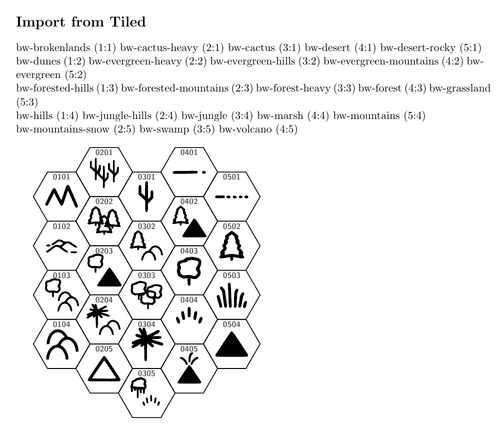
If you look closely, you might notice a discrepancy between the Tiled map and the map drawn in LaTeX. This happens due to the different processing order of icons (such as "bw-cactus-heavy" and "bw-cactus", "bw-mountains" and "bw-mountains-snow", etc.) in the png2tikz.sh script and Tiled. The best way to fix this error is during the tileset creation stage, by rearranging the order with the Rearrange Tiles tool to match the order in the icons.sty file. Even after this, you need to edit the bw-icons.tsx file manually to set IDs in order, since there is no apparent way to do this through the editor itself.
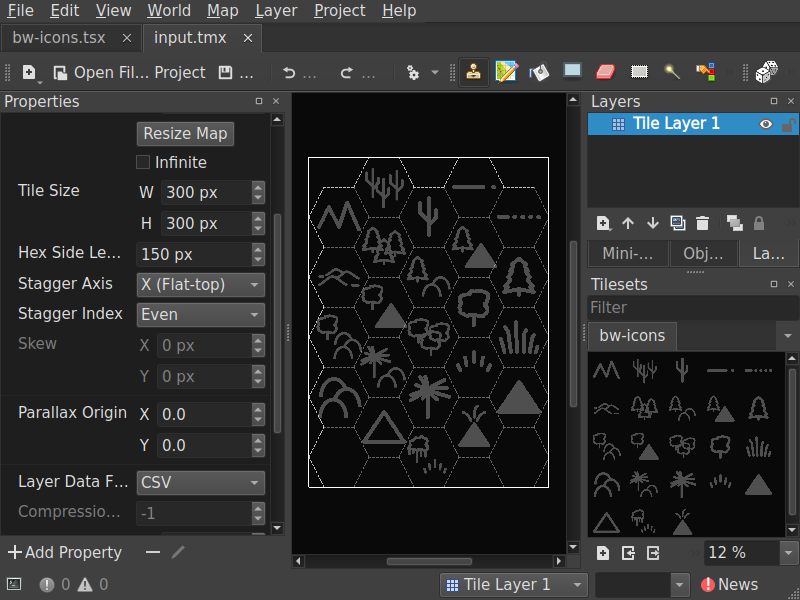 Rearranged tileset
Discuss this post on Reddit