Retrotype v0.3 - improved tables
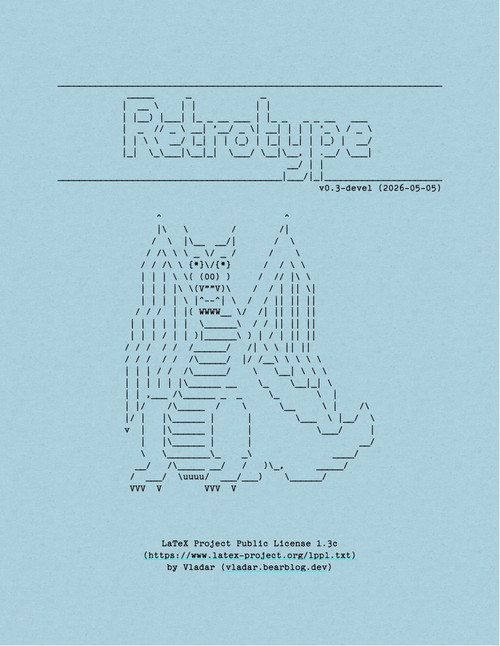
The shortcomings in the table formatting in the 0.2 version of Retrotype are now mitigated in the new v0.3 release. This was made possible by using a more advanced tblr environment from the tabularray package.1 It is not yet covered in my LaTeX for tabletop series, but it is certainly in the queue as I've already started experimenting with its capabilities in a couple of my projects.
By using a new custom column type and two table commands for horizontal lines in tables, you can create all sorts of typewriter-style tables with minimal effort:
- The
Icolumn separator is a simple shortcut for the!{|}, which inserts the|character between the columns. - The
\rthline[chars]command inserts a\hlinecomprised of repeatingchars. - The
\rtcline[chars]{a-b}does the same for a\clinein thea-bcolumn range.
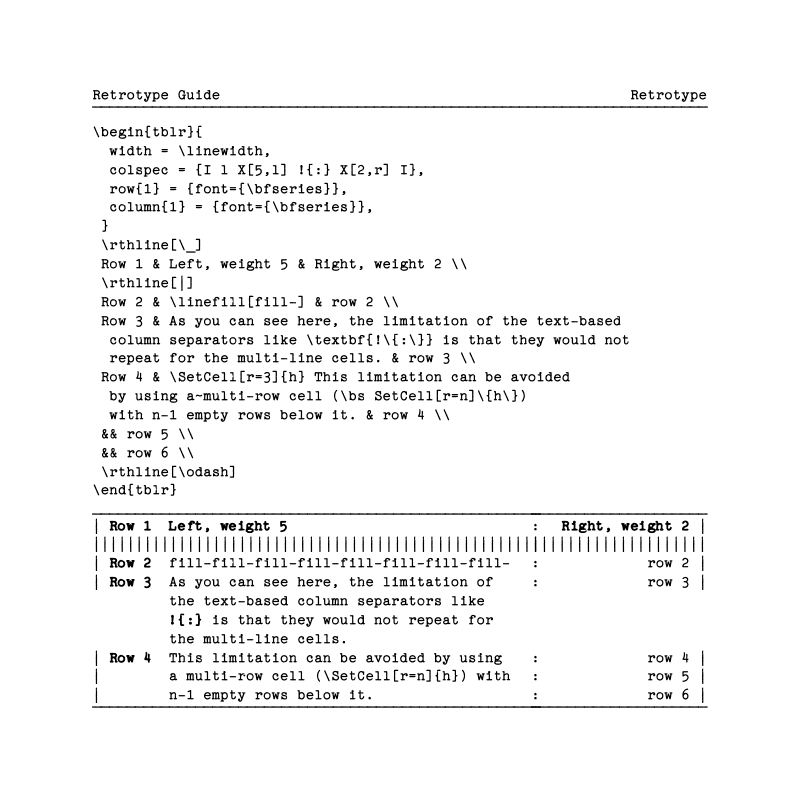
Keep in mind that the tblr environment's setup differs from the classic tabular or tabularx environments. The following example from the retrotype-guide PDF demonstrates its usage.
Aside from improved tables, the manual file and Windows batch scripts for building the retrotype-guide.pdf were also added to the repository.
Discuss this post on Reddit